Skip to content

Best picks for your needs

Product comparisons to help you choose.

Showing 2209–2232 of 2800 · Page 93 of 117

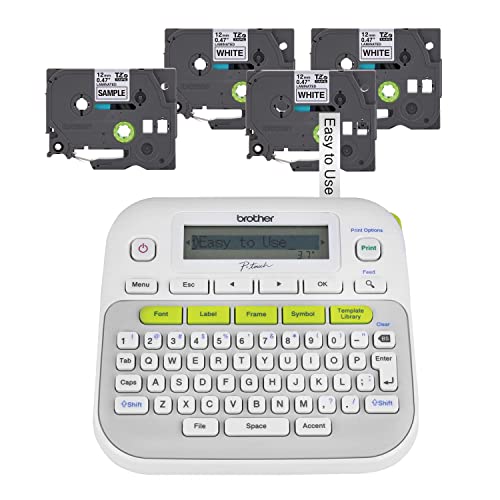
Brother PT-N20

ASIN B0DFDRSHBJ

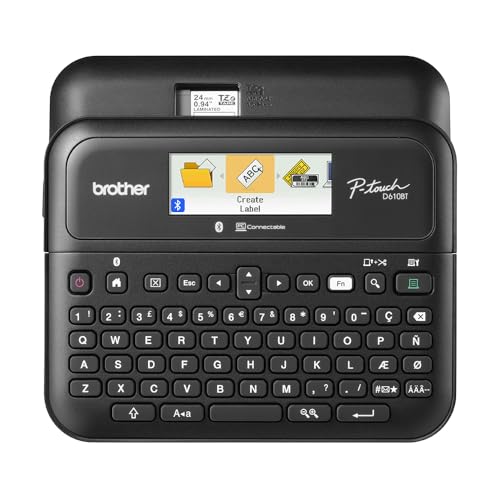
PT-D610BT

ASIN B0B1KZJXPG

Other comparisons

Brother PT-N20 vs PT-D610BT: Which One Fits Your Labeling Routine?

Choose by tape first, then by whether the PT-D610BT's documented external-device workflows matter. Brother specifies the PT-N20 for 12 mm Btag tape and lists no mobile-device printing app; its page also documents a keyboard, preview, and saved-label features.

Read comparison

Brother PT-N20

ASIN B0DFDRSHBJ

PT-N10

ASIN B0DFFNMZ1X

Other comparisons

Brother PT-N20 vs PT-N10: Which Label-Making Setup Fits?

Both Brother models create labels on the device and use the same 12 mm Btag tape family. PT-N10 has a narrower, deeper body; PT-N20 has a squarer shape and more documented preview and design capacity.

Read comparison

Brother TN850

ASIN B01825OGPE

TN880

ASIN B01825OHX0

Other comparisons

Brother TN850 vs TN880: Printer Fit and Replacement Planning

Check the printer model first: TN880 is not a universal substitute for TN850. When both are supported, choose TN880 for more rated pages between replacements; TN850 remains reasonable when its capacity meets your needs.

Read comparison

Candy Land (4700 S5)

ASIN B00000DMF5

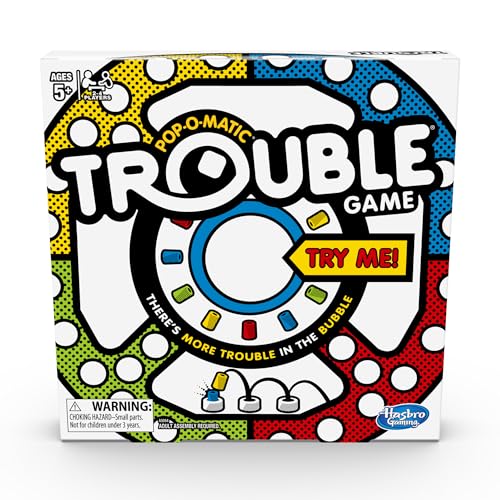
Trouble (A5064)

ASIN B00D7OAOYI

Other comparisons

Candy Land (4700 S5) vs Trouble (A5064): Choose by Age Label and Game Flow

Choose Candy Land if its publisher-listed 3+ label is the deciding first filter and you want colored-card movement along a path. Choose Trouble if the group wants a Pop-O-Matic die roll and race-with-bump-back rules, and the 5+ publisher label fits your initial screen.

Read comparison

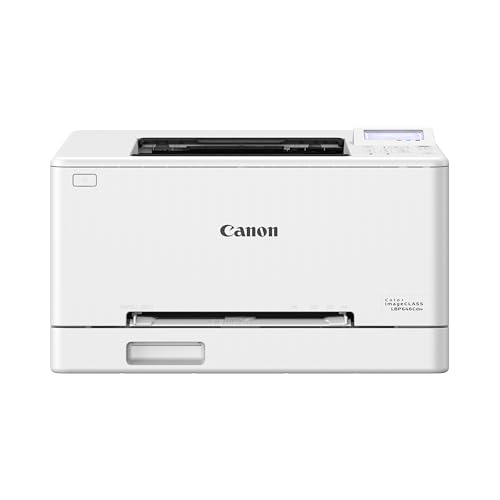
Canon LBP646Cdw

ASIN B0FMBVCX6S

G3270

ASIN B0BSMSYM9N

Other comparisons

Canon LBP646Cdw vs G3270: Which Fits Your Documents?

Choose the LBP646Cdw for a print-only station organized around a cassette and occasional single-sheet feeding. Choose the G3270 if you need flatbed scanning/copying or supported long custom output.

Read comparison

Canon LBP646Cdw

ASIN B0FMBVCX6S

PIXMA TS6520

ASIN B0FMBTJLX6

Other comparisons

Canon LBP646Cdw vs PIXMA TS6520: Which Fits Your Print Workflow?

This is a feature-fit choice. The LBP646Cdw is the documented print-only option, with Ethernet listed alongside USB and Wi-Fi. The TS6520 is the one to consider when flatbed scanning and copying matter; its sheet lists no ADF capacity.

Read comparison

Canon MegaTank G3270

ASIN B0BSMSYM9N

PIXMA TS4320

ASIN B0FMBGXC2C

Other comparisons

Canon MegaTank G3270 vs PIXMA TS4320: Which Printing Routine Fits You?

Pick the printer whose ink handling and two-sided printing routine fits how you work. The G3270 is built around bottle refills into integrated tanks; the TS4320 uses replaceable black and color cartridges and documents automatic duplex printing for Letter and A4.

Read comparison

Canon MF753Cdw II

ASIN B0FP3LJ74G

Brother DCP-L2640DW

ASIN B0CPLFTPCV

Other comparisons

Canon MF753Cdw II vs Brother DCP-L2640DW: Which Office Tasks Do You Need?

The choice turns first on output: Canon documents a color MF753Cdw II, while Brother describes the DCP-L2640DW as monochrome. For office tasks, Canon also lists fax and a 50-sheet one-pass duplex ADF; Brother lists a 50-page ADF for scan/copy but marks duplex scanning No.

Read comparison

Canon MF753Cdw II

ASIN B0FP3LJ74G

G3270

ASIN B0BSMSYM9N

Other comparisons

Canon MF753Cdw II vs G3270: Which Fits Your Documents and Connection?

Choose the MF753Cdw II for routine two-sided scan batches or a required Ethernet connection. Choose the G3270 if you can place originals on the platen yourself and USB or Wi-Fi suits your setup; accept its hands-on document placement as the compromise.

Read comparison