Skip to content

Best picks for your needs

Product comparisons to help you choose.

Showing 49–72 of 1062 · Page 3 of 45

Anker 737 A1289

ASIN B09VPHVT2Z

A1695

ASIN B0DCBB2YTR

Electronics & accessories

Anker 737 A1289 vs A1695: Which Cable and Output Setup Fits?

Choose by the connections you will actually use. The A1289 lists two USB-C socket ports and one USB-A port, with a 140W total maximum and a USB-C profile up to 28V/5A; Anker says reaching 140W requires a PD 3.1 device and cable.

Read comparison

Anker A110A

ASIN B0F66LNB8D

A1695

ASIN B0DCBB2YTR

Electronics & accessories

Anker A110A vs A1695: Which Power-Bank Workflow Fits Your Gear?

A1695 is a fit if you prioritize its maker-documented built-in USB-C cables. A110A may fit if its USB-C/USB-A port mix and app controls match your devices, particularly when you already have the specified dual-input chargers and cables.

Read comparison

Anker A1637 Fusion

ASIN B0CX4992Z8

A1383

ASIN B0CXDXP8VR

Electronics & accessories

Anker A1637 Fusion vs A1383: Which Fits Your Charging Kit?

Choose the A1637 Fusion when eliminating a separate wall charger matters and its up-to-30W USB-C output fits your device. Choose the A1383 when a compatible device needs more power, up to 65W, and you can provide an external USB-C recharge supply.

Read comparison

Anker A1695

ASIN B0DCBB2YTR

UGREEN 35525

ASIN B0CXHM5RY2

Electronics & accessories

Anker A1695 vs UGREEN 35525: Output Headroom, Ports and Travel Fit

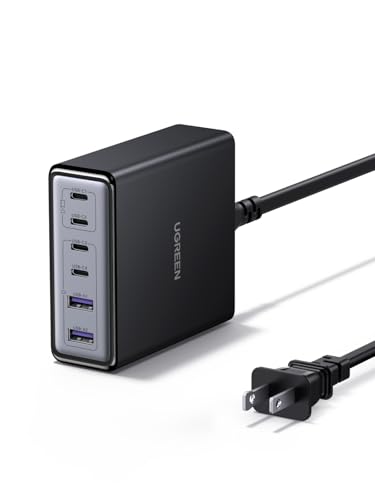
Choose Anker A1695 for an integrated-cable, three-USB-C/four-port workflow with a documented 165W maximum, subject to its lower three/four-device combined ceiling. Choose UGREEN 35525 for the higher manufacturer-labeled total output, 140W USB-C1 and TFT format.

Read comparison

Anker A8357

ASIN B0DKT8BB4M

Belkin AVC018

ASIN B0BY27XSJ3

Electronics & accessories

Anker A8357 vs Belkin AVC018: USB Plugs and Transfer Limits

Choose Anker A8357 for USB-A accessories when an up-to-5Gbps ceiling is enough. Choose Belkin AVC018 for native USB-C accessories or a storage path rated up to 10Gbps, with one of its four ports occupied if you use pass-through charging.

Read comparison

Anker A8380

ASIN B0874M3KW4

Plugable UD-3900 for a Windows Desk

ASIN B00ECDM78E

Electronics & accessories

Anker A8380 vs Plugable UD-3900 for a Windows Desk

Choose Anker A8380 when your laptop supports its USB-C video path and you want PD pass-through charging. Choose UD-3900 when a USB data connection with DisplayLink fits your Windows productivity setup and separate laptop power is acceptable.

Read comparison
Anker A91C6

ASIN B0CSFQQVVT

Nano A91C8

ASIN B0DFH1DNNT

Electronics & accessories

Anker A91C6 vs Nano A91C8: Cable Reach and USB Power

Choose A91C6 for a desk built around separate cables. Choose Nano A91C8 when its retractable leads fit your device positions. Before replacing a laptop charger, check the actual connection and shared output, not the total port count.

Read comparison

Anker Nano

ASIN B0C6XK77HJ

Fusion

ASIN B0CX4992Z8

Electronics & accessories

Anker Nano vs Fusion: Which Fits Your Charging Routine?

Choose the A1653 Nano for optional direct USB-C attachment, provided your phone and case fit and you have a compatible recharge supply. Choose the A1637 Fusion for integrated wall recharging or its built-in flexible cable.

Read comparison

Anker Prime 250W

ASIN B0CYLL8Y89

140W 4-Port

ASIN B0DFCH3C4W

Electronics & accessories

Anker Prime 250W vs 140W 4-Port: Placement and Screen Controls

The Prime is the six-port desk station with a separate AC cord, dial, AI Power Mode and documented app setup. The A2697 is a 140W four-port charger with different listed body dimensions and a button-operated display that can show power-distribution, temperature-monitoring and operating-time screens.

Read comparison