
Last observed offer
Paid link. As an Amazon Associate we earn from qualifying purchases.
- Confirm offer eligibility on Amazon
Price checked
Observed condition: New.
Coupon and subscription requirements have not been independently verified.
Sources and offer details
Offer eligibility and condition come from available Amazon API observations; missing facts remain unverified.
Prices and availability change often and may differ by the time you reach Amazon.com. The price on Amazon.com at the time of purchase is the one that applies.
Product details
- ASIN
B09WHRSJ83- GTIN / UPC
097855181503- Brand
- Logitech
- Category
- Electronics
- Availability
- In stock at last check
- Last checked
- today
Specifications
- Color
- Black
- Model
- 960-001513
- Part number
- 960-001513
- Manufacturer
- Logitech
- Dimensions
- 2.1 × 1.8 × 2.6 in
- Weight
- 2.6 oz
Listing description
Statements from the product listing; not Pickoryx test results.
- Sound Like You: The mono noise reduction mic on this Logitech webcam with microphone suppresses background sound so everyone on the call can hear you easily
- Spin for Instant Privacy: Spin the Logitech web cam privacy shutter to block the camera lens when you don’t need to be on screen
- Auto Light Correction: Logitech camera with RightLight 2 technology automatically compensates for poor video lighting conditions so you can be seen clearly
- Be Your Best Self on Every Video Call: Full HD 1080p webcam resolution provides natural image quality and high-definition video, so you look like the real you on all meeting apps
- Made for Meetings: Logitech Brio Webcam 301 is compatible with most video conferencing platforms and certified for Zoom, Microsoft Teams and Google Meet
Original listing title and source
Logitech Brio 301 Full HD Webcam for PC with Privacy Shutter - Black | Full HD 1080p camera, noise reduction mic, USB-C, Certified for Zoom, Microsoft Teams, Google Meet, Auto Light Correction
Product identity and listing details are from available Amazon observations. Check exact package contents and current purchase terms on Amazon.
Compare before you buy
See how this exact product compares with other models and bundles.
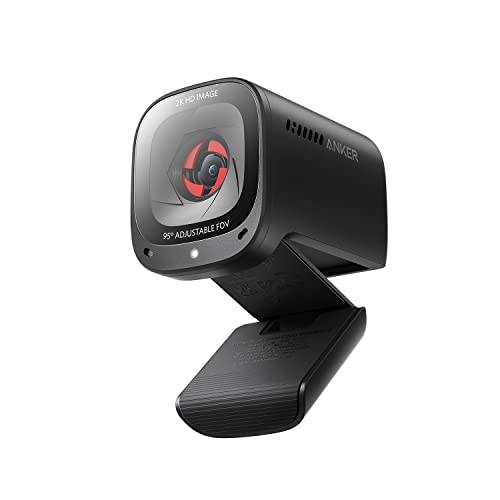 Logitech Brio 301 vs Anker PowerConf C200: Framing and USB Fit
Choose Brio 301 when its 70° view suits your desk and you want its supplied USB-C connection. Choose PowerConf C200 when its 65°/78°/95° presets matter more, provided you can use AnkerWork and connect its supplied USB-A host plug or a separately verified alternative.
 Logitech Brio 301 vs C920e: Which Fits Your Desk?
Choose Brio 301 for a USB-C desk and straightforward seated framing. Choose C920e for USB-A, autofocus or tripod placement, while checking the exact microphone variant and setup path before deployment.
 Logitech Brio 301 vs C920s: Focus and USB Port Fit
Choose the Brio 301 for a USB-C setup where fixed focus meets your needs. Choose the C920s when autofocus matters and its USB-A connection fits your computer.
 Logitech Brio 501 vs Brio 301: Choose by Framing and Mounting Needs
Choose by the controls and setup you will use. The Brio 501 setup guide documents autofocus, auto-framing, selectable field-of-view settings and a Show Mode routine for presenting desk objects.