

CUKTECH 15 Ultra
ASIN B0DM1RGZHD

Anker A1695
ASIN B0DCBB2YTR
Electronics & accessories
CUKTECH 15 Ultra vs Anker A1695: Which Fits Your Laptop-and-Phone Setup?
Start with your laptop’s USB-C input limit.
Read comparisonProduct comparisons to help you choose.
1062 of 2800 comparisons
Showing 313–336 of 1062 · Page 14 of 45
CUKTECH 15 Ultra
ASIN B0DM1RGZHD
Anker A1695
ASIN B0DCBB2YTR
Start with your laptop’s USB-C input limit.
Read comparisonCUKTECH 15 Ultra
ASIN B0DM1RGZHD
EcoFlow RAPID Pro 20K
ASIN B0FHB6W4YH
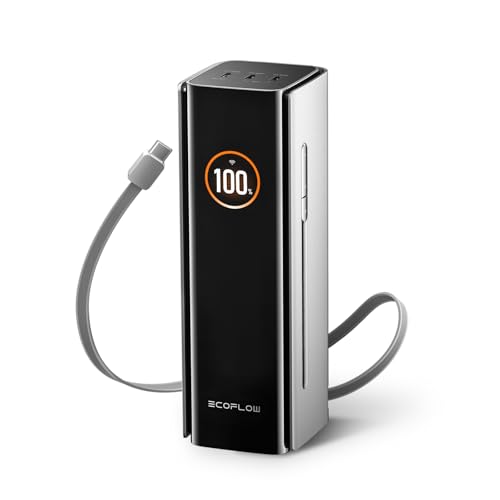
Choose by the laptop’s supported USB-C input, the devices you plan to connect together, and whether you prefer a separate cable or one built into the bank.
Read comparison
CyberPower CP1500PFCLCD
ASIN B00429N19W

CP1500AVRLCD3
ASIN B0BCMLLSHL
Both are 1500VA tower UPS models, but their documented choices differ: CP1500PFCLCD is rated at 1000W and explicitly lists pure sine wave output and Active PFC compatibility; CP1500AVRLCD3 is rated at 900W and its manual specifies simulated sine wave output.
Read comparisonCyberPower CP1500PFCLCDa
ASIN B00429N19W

APC BR1500MS2
ASIN B08GRY1W93
Both are 1500 VA, 120 V tower UPS models, but CyberPower publishes 1000 W and APC publishes 900 W. CyberPower explicitly lists six battery-and-surge outlets plus six surge-only; APC's datasheet lists six standard outlets plus four surge-only, without labeling the standard outlets as battery-backed.
Read comparisonCyberPower CP1500PFCLCDa
ASIN B00429N19W

APC BX1500M
ASIN B06VY6FXMM
Both models are 1500VA, but the CyberPower is rated for 1000W and specifies pure sine-wave output, while the APC is rated for 900W and specifies a stepped approximation to a sine wave.
Read comparison
CyberPower EC850LCD
ASIN B00DBAA696
APC BX1500M
ASIN B06VY6FXMM
Treat this as a load-rating and outlet-layout choice. The EC850LCD is rated 850 VA / 510 W and has six battery-and-surge outlets plus six surge-only outlets; the BX1500M is rated 1500 VA / 900 W with five outlets in each group.
Read comparisonCyberPower EC850LCD
ASIN B00DBAA696
CP1500AVRLCD3
ASIN B0BCMLLSHL
Start with the equipment's actual load: the EC850LCD is rated 850VA/510W and the CP1500AVRLCD3 is rated 1500VA/900W. Then compare the documented desk connections—EC850LCD's ECO-controlled surge-only outlets versus CP1500AVRLCD3's USB charging and USB/serial communication ports.
Read comparison
CyberPower ST425
ASIN B07GZR981Y
CP1500AVRLCD3
ASIN B0BCMLLSHL
Choose CP1500AVRLCD3 if you need USB computer-status communication or a manufacturer-designated user-replaceable battery. ST425 is a reasonable lower-cost option only if the current offer is lower, neither feature is required, and your equipment fits its limits.
Read comparisonCyberPower ST425
ASIN B07GZR981Y
EC850LCD
ASIN B00DBAA696
Start with the equipment’s measured watt draw: the ST425 is rated for 260 W and the EC850LCD for 510 W.
Read comparison
Nikon D850
ASIN B07524LHMT

Nikon Z6 II
ASIN B08L5Z4355
Choose D850 when keeping autofocus with compatible screw-drive F lenses or retaining larger still files is the priority.
Read comparison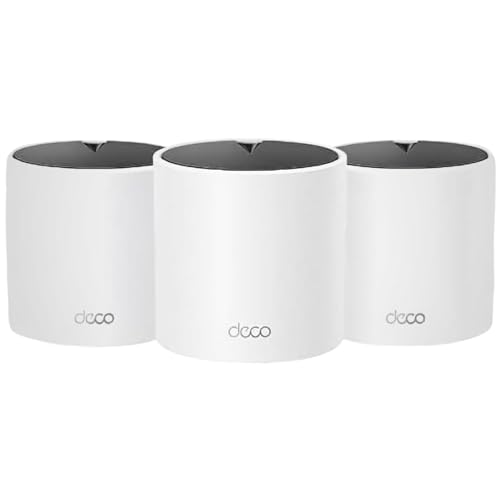
Deco X15
ASIN B0D7MKJ56S

Deco BE25
ASIN B0DKVDZXSN
These three-node kits answer different upgrade needs, not a proven speed contest. Pick the X15 for a Wi-Fi 6 household with gigabit wired links; pick the BE25 if compatible Wi-Fi 7 clients or 2.5GbE connections make its added features usable.
Read comparisonDeco X15
ASIN B0D7MKJ56S

Deco X55 (3-Pack)
ASIN B09PRB1MZM
Both are three-node, dual-band Wi-Fi 6 Deco systems with optional Ethernet backhaul. TP-Link lists a higher maximum link-rate profile and one extra Gigabit port per node for the X55.
Read comparisonDeco X55 3-Pack
ASIN B09PRB1MZM

Archer AX55
ASIN B09G5W9R6R
Choose the Deco X55 three-pack when you want several access-point locations from one kit. Choose Archer AX55 for one router with four LAN ports and USB storage support.
Read comparisonDeco X55
ASIN B09PRB1MZM

XE75
ASIN B0B88T5RDY
Choose the X55 if it is currently cheaper and a dual-band Wi-Fi 6 setup fits your clients and wiring. Choose the XE75 when its 6 GHz/tri-band architecture matches 6E clients or a wireless-backhaul plan.
Read comparisonDeco XE75
ASIN B0B88T5RDY
Archer AX55
ASIN B09G5W9R6R
Choose by the setup you want to buy and wire. The Deco XE75 page describes a three-unit mesh pack with optional Ethernet backhaul; the Archer AX55 is one router with four LAN ports and USB 3.0, and TP-Link lists compatible OneMesh/EasyMesh expansion.
Read comparisonDeco XE75
ASIN B0B88T5RDY

Deco S4
ASIN B084GTH5LL
Choose the XE75 if you have Wi-Fi 6E clients you want to connect on 6 GHz or want its tri-band setup options.
Read comparisonDeco XE75
ASIN B0B88T5RDY
Deco X15 3-Pack
ASIN B0D7MKJ56S
Choose the XE75 if its 6 GHz band and third Gigabit port per node solve a need in your setup. Choose the X15 if dual-band Wi-Fi 6 and two Gigabit ports per node are sufficient and its live offer is more attractive.
Read comparison
Dell 27 Plus S2725HSM
ASIN B0G4MVZMT6

24 Plus S2425HSM
ASIN B0G49SZ24N
Both monitors are 1920×1080. The S2725HSM gives you a 27-inch panel at 82 PPI; the 23.8-inch S2425HSM lists 93 PPI.
Read comparisonDell S2725HSM
ASIN B0G4MVZMT6

ASUS VA279HG
ASIN B0DM6SNBGM
Both are 27-inch Full HD monitors, so choose by the connections and stand movement your desk needs. Dell lists two HDMI inputs and height, swivel, and pivot adjustment; ASUS lists HDMI plus VGA and tilt adjustment with 100 x 100 mm VESA mounting.
Read comparisonDell S2725HSM
ASIN B0G4MVZMT6

ASUS XG27ACS
ASIN B0CV24GQ9W
Choose Dell for a 27-inch FHD/144Hz setup with confirmed dual speakers and HDMI inputs. Choose ASUS if the QHD/180Hz specifications and DisplayPort or USB-C video path fit your computer; its USB-C power delivery is 7.5W, so keep a separate laptop charger in the plan.
Read comparisonDell S2725HSM
ASIN B0G4MVZMT6

S2725DSM
ASIN B0GD1LMWH3
Choose the S2725HSM if FHD suits your desktop and you need two HDMI devices directly connected. Choose the S2725DSM for the denser QHD grid or a direct DisplayPort source, accepting just one HDMI input.
Read comparison
Dell S2725QS
ASIN B0F1GF1KFC

ASUS PA278QV
ASIN B088BC5HMM
These are two 27-inch monitors with different published specifications. The Dell lists 4K at up to 120Hz, while the ASUS lists QHD at up to 75Hz and a wider named input mix including four USB 3.0 ports.
Read comparisonDell S2725QS
ASIN B0F1GF1KFC

ASUS PA279CRV
ASIN B0BQPSX5CR
Dell is the practical 4K office and high-refresh choice when a separate dock already handles USB and the display will also serve a console or fast desktop input.
Read comparisonDell S2725QS
ASIN B0F1GF1KFC

ASUS TUF VG27UQ1A
ASIN B0DHG1GTG2
For documented 4K120 HDMI use, either monitor fits. ASUS lists supported 4K modes up to 160Hz, so consider it when your full PC output path can use a refresh rate above 120Hz.
Read comparison